Your Information and Privacy
My Information
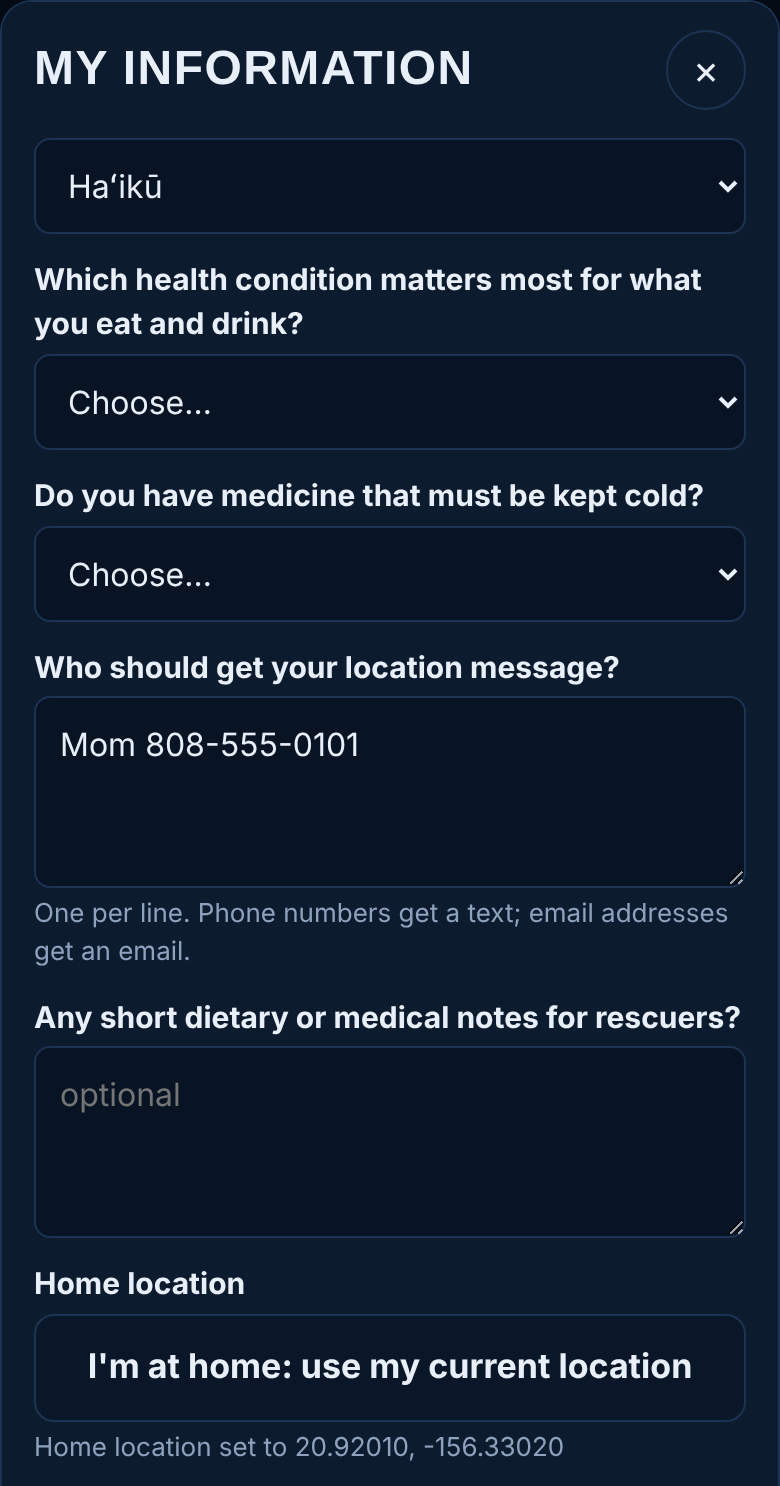
Saved only on your phone, unless you choose to share it. It fills in your location and rescue messages and puts your Food-as-Medicine condition first.
Start voice-and-text interview
Asks each question one at a time and reads it aloud. Type or pick your answer, then Next. Replay question reads it again; Back goes to the previous question.
The questions
Name · best phone number · email (optional) · home address · usual town · main health condition · medicine that must be kept cold · contacts to message (one per line, name and number) · dietary or medical notes for rescuers.
I'm at home: use my current location
Saves your home's exact position, so wellness checks reach you when your home area is affected. Tap it while you're at home.
Save
Saves your answers on the phone, and updates HELP if you've chosen to share them.
Wellness checks and privacy
Opens the sharing choices.
Delete my information
Tap twice to erase everything from this phone.
Wellness Checks and Privacy
This is where you decide what HELP may do for you. Each option is separate and optional. Nothing leaves your phone until you join.
Wellness checks
During a disaster in your area, HELP asks if you're OK by app alert, text or phone call. If you don't answer, your details go to responders.
Location assist
When your battery drops to 15% and again at 5%, or a warning is issued for your area, your phone sends your location once, so responders know where you were even if your phone dies.
Share my information
Your name, phone, home address and medical notes are included when responders are sent to you. Leave this off and responders get only your location.
HELP server address
Usually filled in for you. Change it only if the person who runs your HELP service gives you a new address.
Join HELP / Save choices
Joins, or saves changes to your choices. Turning an option off deletes the information it covered.
Turn on alerts on this phone
Lets "Are you OK?" checks arrive as notifications. Allow notifications when asked.
Delete my data from the server
Tap twice to erase everything HELP holds about you. Your information on the phone stays.
When HELP Checks On You
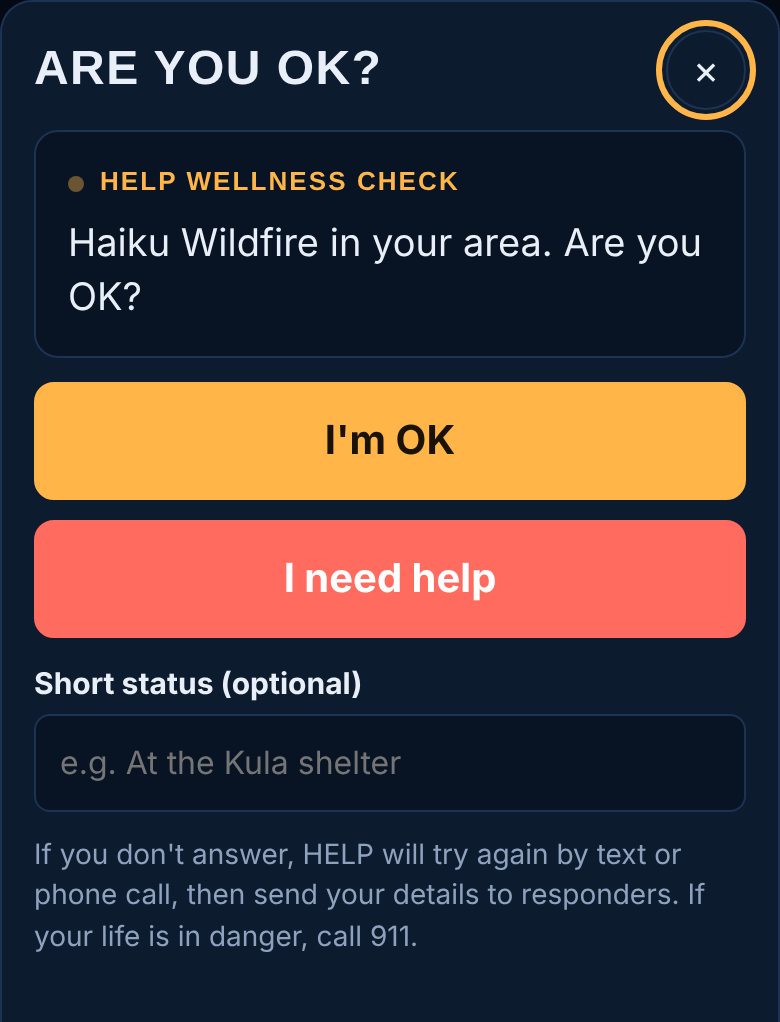
If you've turned on Wellness checks and a disaster affects your home, work or last known location, HELP asks: Are you OK?
I'm OK
Marks you safe. HELP checks again about 24 hours later, during recovery.
I need help
Sends your location, and your details if you chose to share them, to responders right away, and asks the nearest Good-Neighbor volunteer to help.
Short status
Optional note, for example "At my sister's in Kula".
Other ways to answer
By text: reply OK or HELP, or tap the link in the text. By phone call: press 1 if you're OK, 2 if you need help. From the notification: tap I'm OK or Need help.
No signal when you answer? HELP saves your answer and sends it when signal returns.
If you don't answer
- 1If you don't answer, here is what happens: Start: App alert, or a text if alerts are off.
- 2About 15 min: Second try by text or phone call.
- 3About 25 min: Third try by another route.
- 4About 35 min: Your last known location and shared details go to responders and a nearby volunteer.
If you answer "I'm OK" after responders have been told, HELP lets them know you're safe.