Features
Do Now Checklists
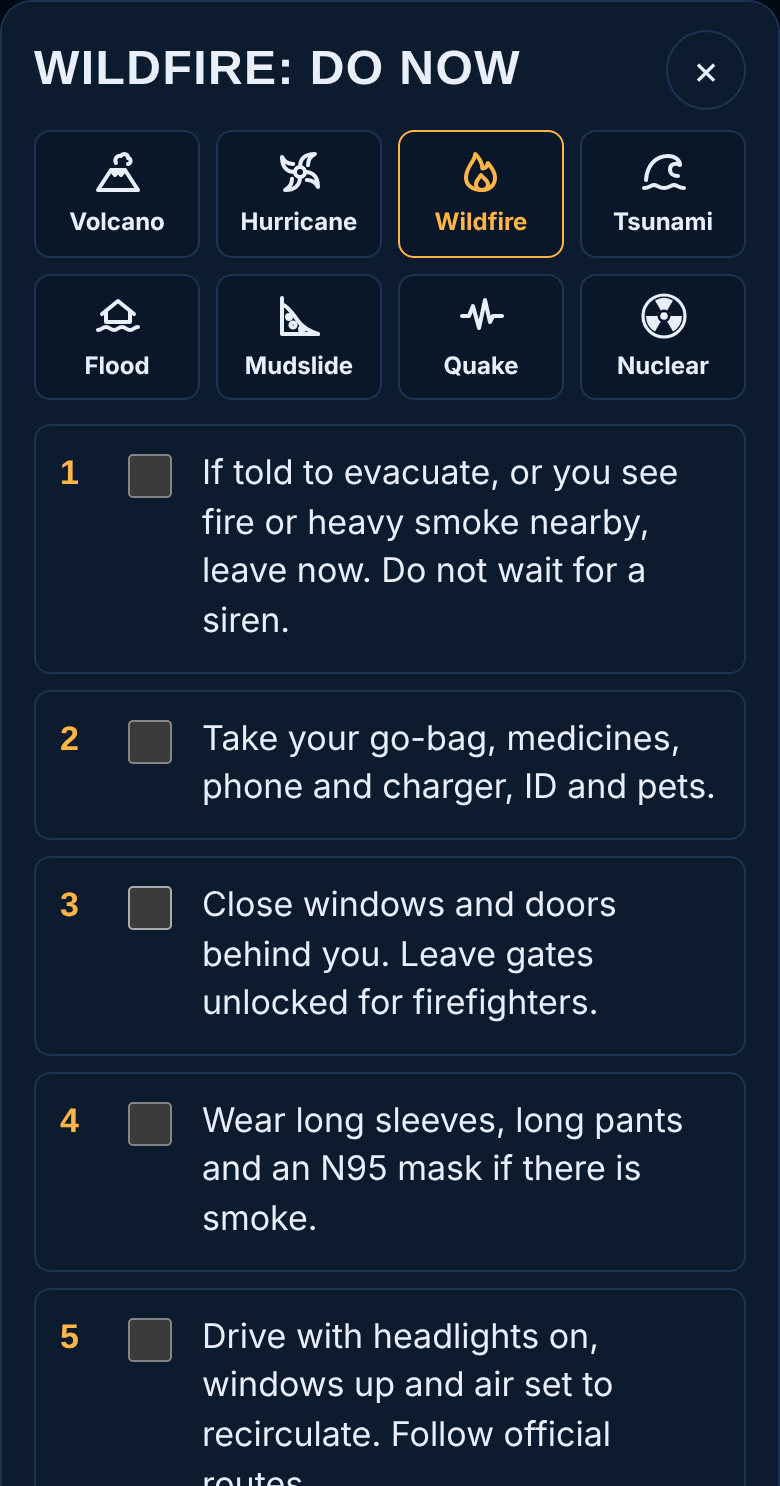
Each hazard has six short steps to take right now, based on standard public-safety guidance.
Hazard buttons at the top
Switch to another hazard's checklist without leaving the screen.
Tick boxes
Tick each step as you do it. Your ticks are saved on the phone, so you can close the app and come back.
Find nearest shelter
Opens Nearest help.
Call 911
Opens the Call 911 screen.
× (close)
Returns to the page you came from. This button closes every screen in HELP.
The eight checklists
| Hazard | First step |
|---|---|
| Volcanic eruption | Follow evacuation orders right away. |
| Hurricane | Know your evacuation zone; leave if told to. |
| Wildfire | If told to go, or you see fire or heavy smoke, leave now. |
| Tsunami | Strong quake, ocean pulling back or a warning: go to high ground now. |
| Storm flooding | Move to higher ground before water rises. |
| Mudslide | Watch for cracks, tilting trees and muddy streams in heavy rain. |
| Earthquake | Drop, cover and hold on. |
| Nuclear blast | Get inside, stay inside, stay tuned. |
Talk to Someone Now and Voice Guidance
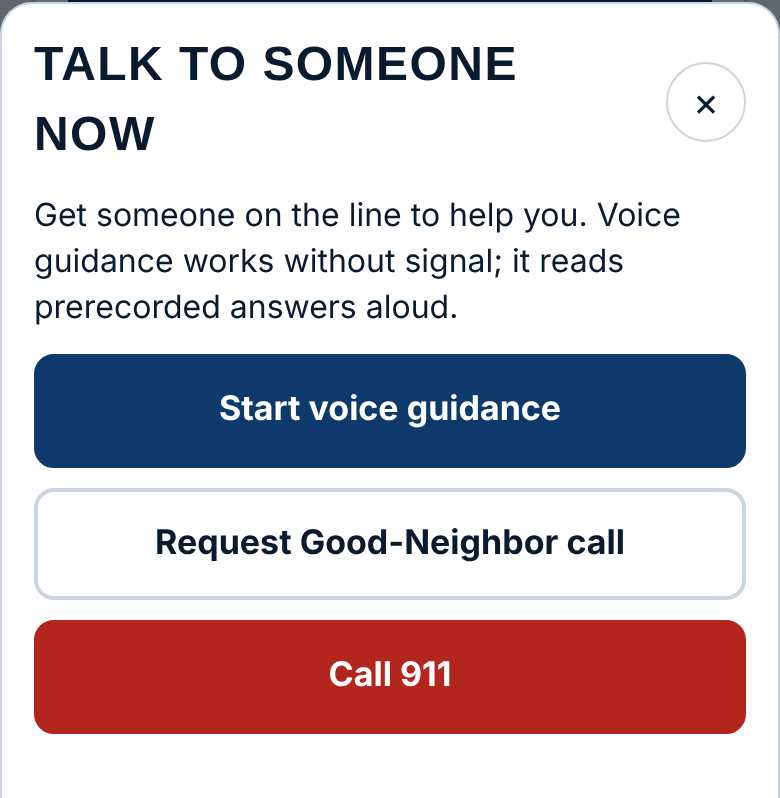
Start voice guidance
Opens spoken guidance. Works with no signal.
Request Good-Neighbor call
Asks the nearest approved volunteer to help you. HELP sends your location to them; you get a message when someone accepts. If no volunteer is free, your request goes to emergency services and public shelters instead. Needs a connection and Wellness checks set up.
Call 911
Opens your phone's dialer with 911.
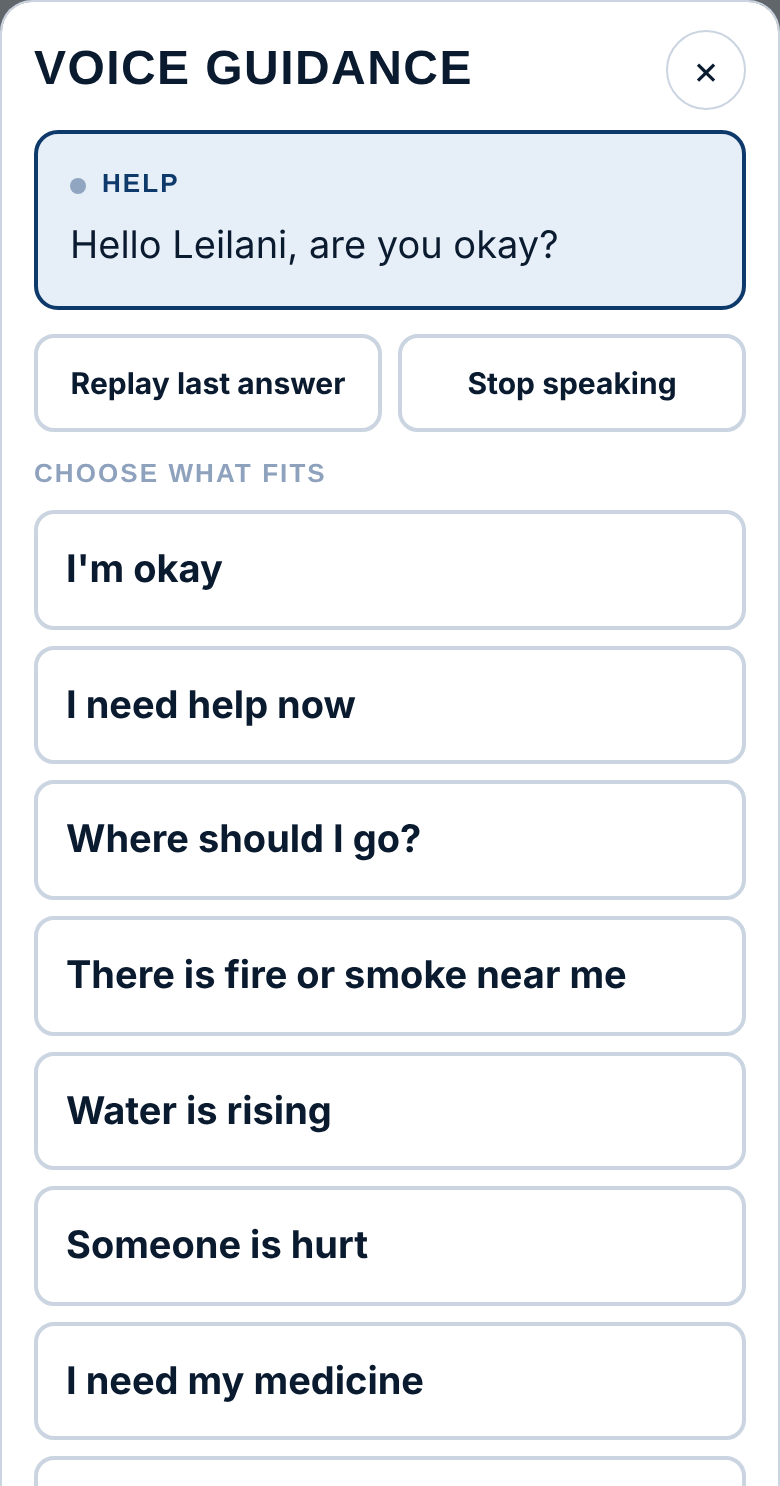
Choose what fits
Tap one: I'm okay · I need help now · Where should I go? · There is fire or smoke near me · Water is rising · Someone is hurt · I need my medicine · What should I eat and drink? HELP reads the answer and shows buttons for the next step, such as a checklist or Call 911.
Replay last answer
Reads the last answer again.
Stop speaking
Stops the voice.
Food-as-Medicine and Local Recipes
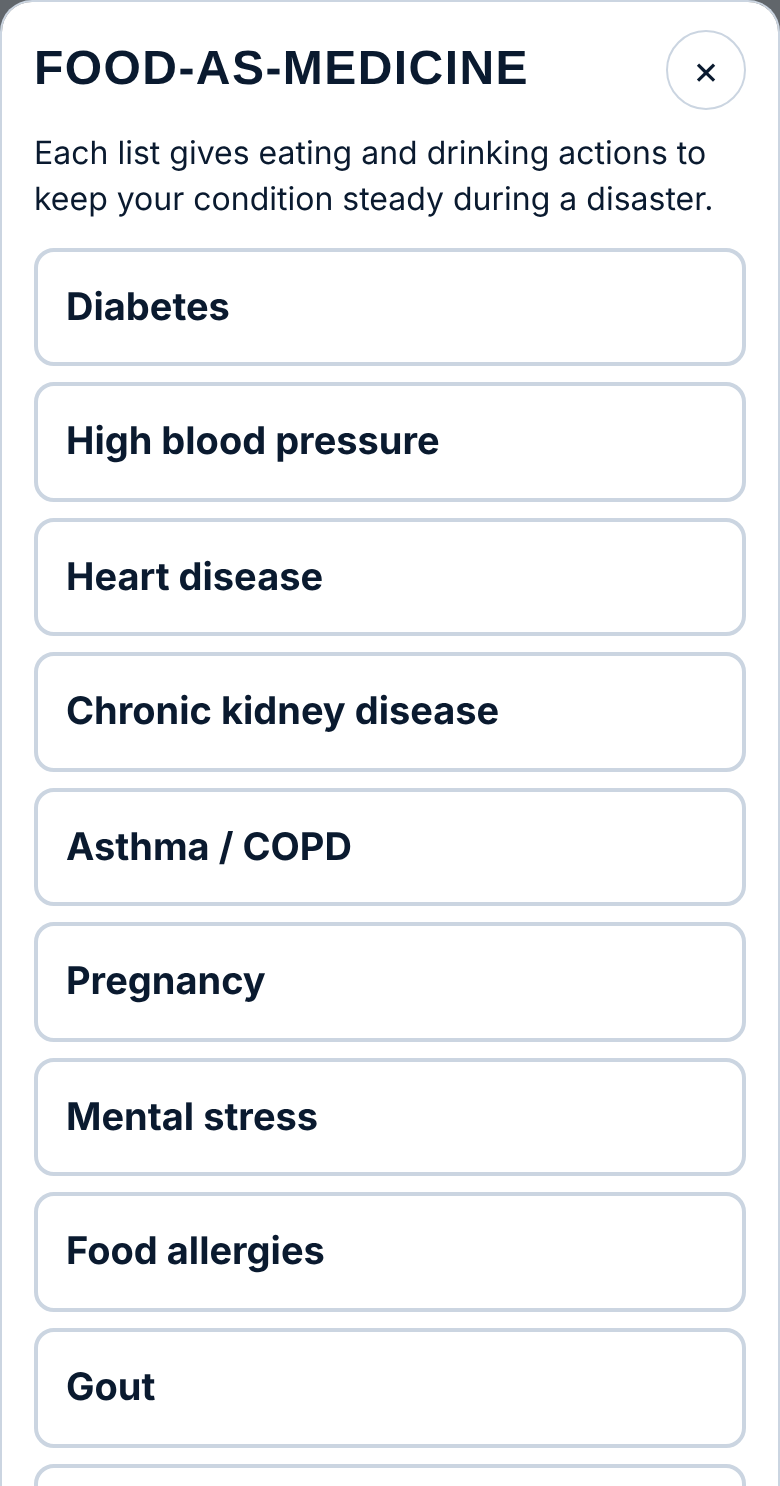
Practical eating and drinking advice for when meals, medicine and refrigeration are disrupted, with recipes made from local Hawai'i ingredients.
Choose a condition
Diabetes · High blood pressure · Heart disease · Chronic kidney disease · Asthma / COPD · Pregnancy · Mental stress · Food allergies · Gout · Weakened immune system. If you chose a condition in My information, it is listed first.
The condition screen
A short goal and five or six things to do with food and drink.
Local recipes
Tap a recipe to open its card.
Read aloud
Reads the advice aloud.
Other conditions
Goes back to the list.
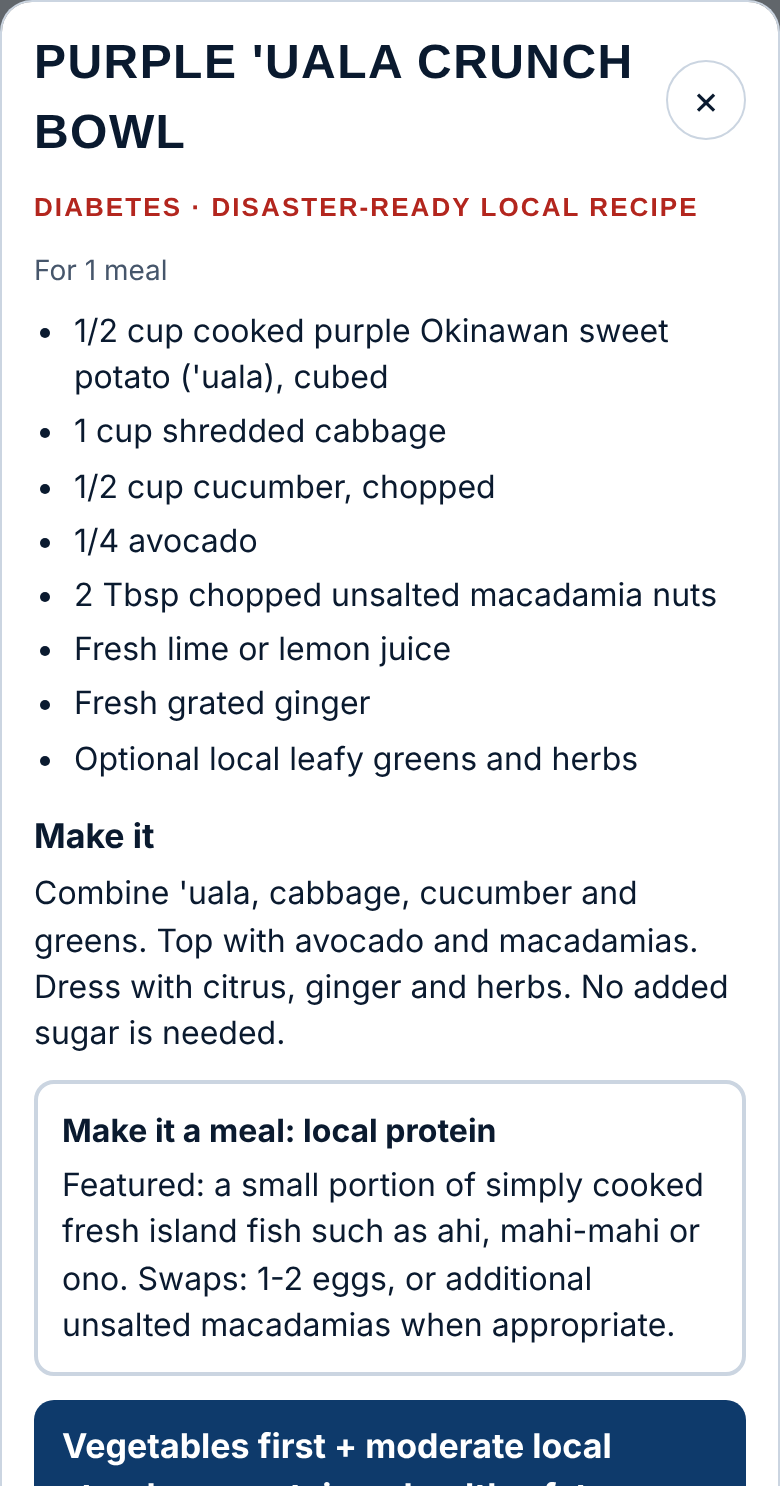
Food guidance supports, but never replaces, medicines, dialysis, inhalers or your clinician's plan.
Medications / Medical Go-Bag
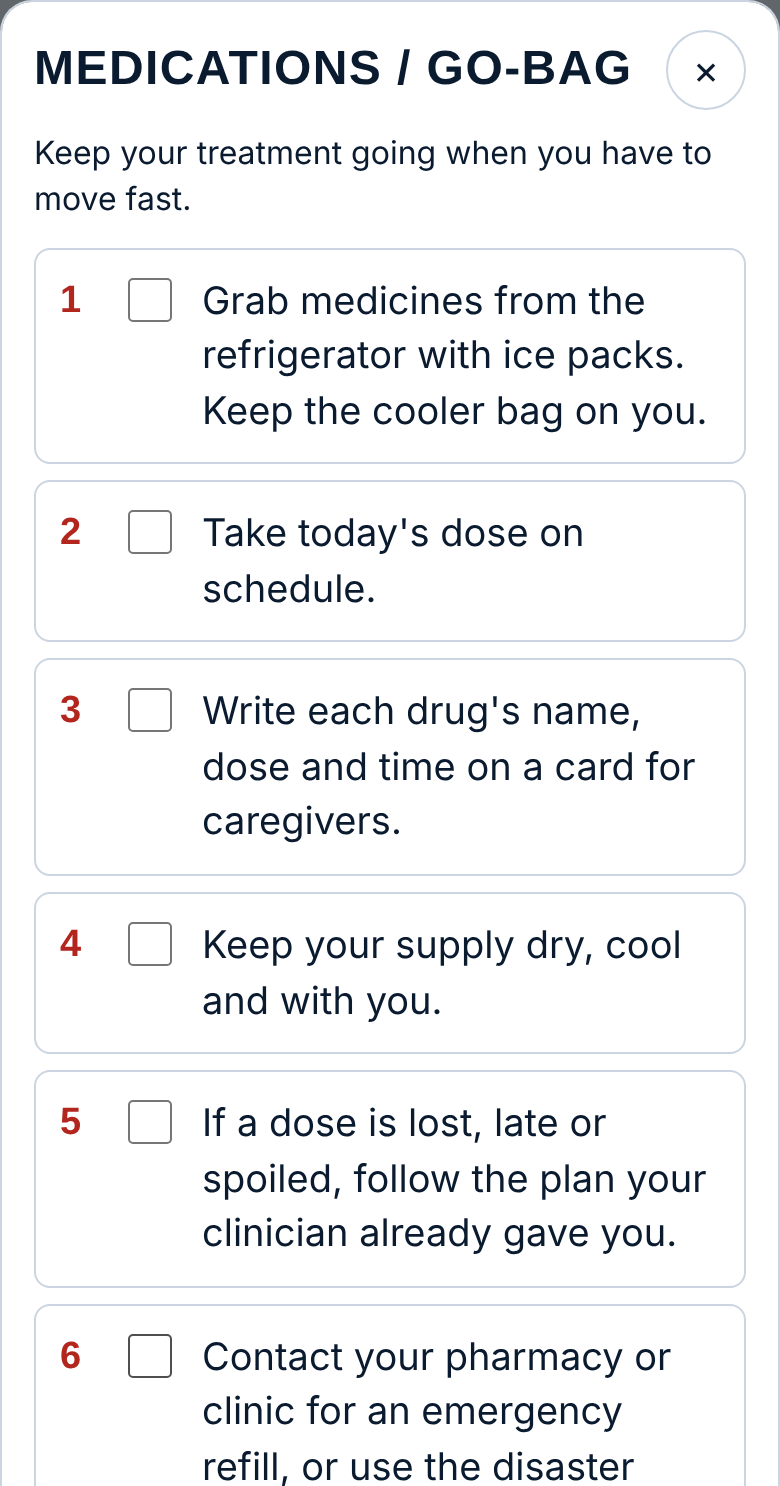
Six steps to keep your treatment going when you have to move fast: grab medicines that need to stay cold, take today's dose, write down names and doses, keep your supply dry and cool, follow your clinician's plan for missed doses, and get emergency refills.
Tick boxes
Tick each step as you go. Ticks are saved on the phone.
Cold medicine reminder
If you answered Yes to "medicine that must be kept cold" in My information, a reminder appears at the top.
Sending Your Location
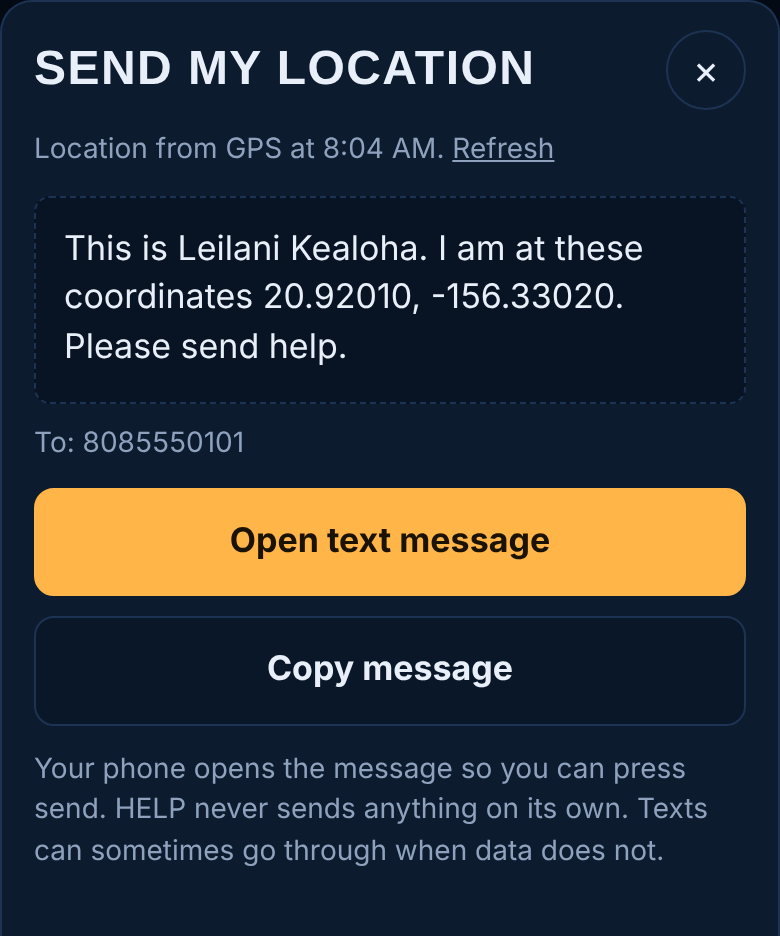
Builds a short message: "This is [your name]. I am at these coordinates … Please send help."
Refresh / Get my GPS fix
Gets a new location before sending.
Open text message
Opens your messages app with the text and your contacts filled in. You press Send. HELP never sends anything on its own. A text can often get through when data won't.
Open email
Appears if any contacts are email addresses; includes a map link.
Copy message
Copies the message to paste anywhere.
Save to send when signal returns
Shown when you're offline. When signal comes back, a green bar at the top says a message is waiting; tap Send now.
Add contacts
Shown if you haven't saved any contacts yet.
Location for rescue
A longer, formal message for rescuers or agencies, with your name, the type of disaster, your town, phone, home address, how far you are from home, and your coordinates.
Disaster type and Area or town
Choose from the lists. HELP fills in the disaster type from your selected hazard.
Get my coordinates
Gets a fresh GPS fix and updates the message.
Preview message
Shows the full message, then Open text message, Open email and Copy message, which work as above.
Nearest Help
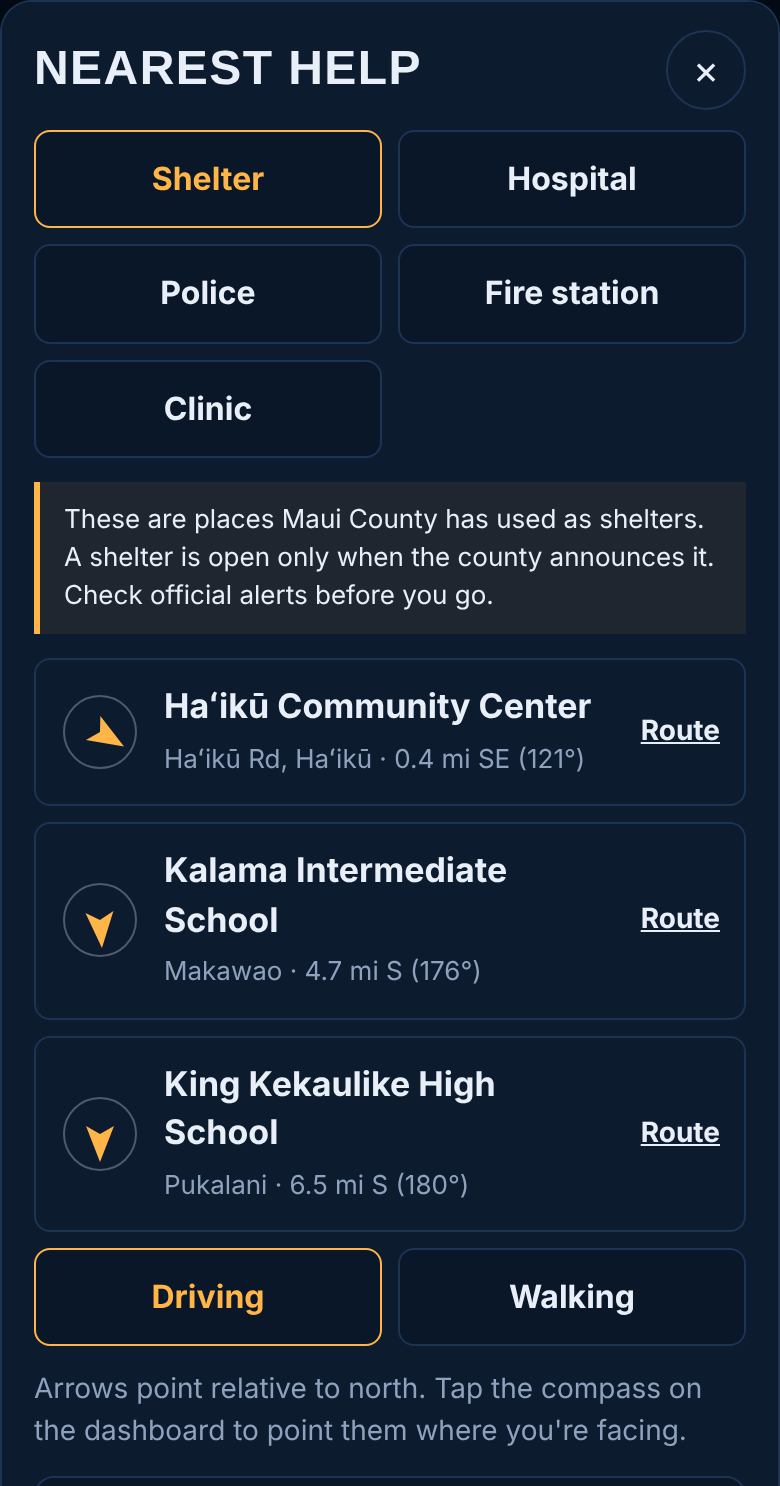
Shelter · Hospital · Police · Fire station · Clinic
Choose the kind of help. HELP lists the three closest, worked out on your phone, so it works without signal.
Arrow
Points toward each place. Once the compass is on, the arrow points relative to where your phone is facing; otherwise it points relative to north.
Distance and direction
Miles, compass direction and bearing, for example "2.3 mi NW (318°)".
Route
Opens Google Maps directions from where you are. Needs signal.
Driving · Walking
Chooses the type of directions Route gives you. During a tsunami, walk if you can.
See all … on Google Maps
Shown when you're online; searches for more places nearby.
No Signal? Satellite and Radio
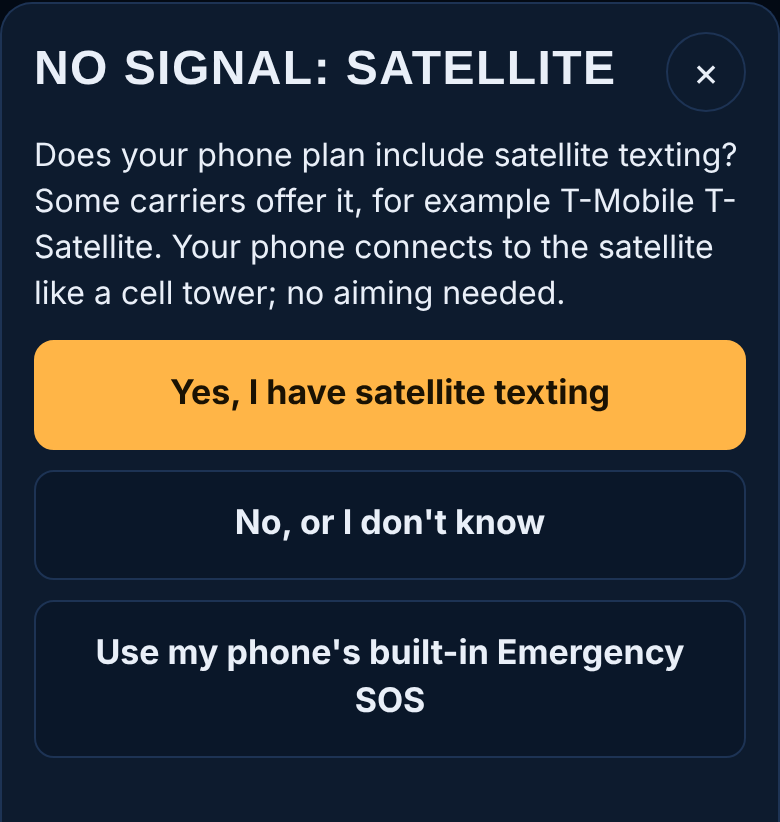
HELP asks one question and walks you through the right option.
Yes, I have satellite texting
For plans that include it (for example T-Mobile T-Satellite). Go outside under open sky, wait for the satellite indicator, then text as usual. Then Send my location.
No, or I don't know
Explains community satellite internet sites, which official alerts or shelters often name.
Use my phone's built-in Emergency SOS
For iPhone 14 or later and Google Pixel 9 or later (except the 9a): go outside, try calling 911, and follow the on-screen guide to text emergency services by satellite.
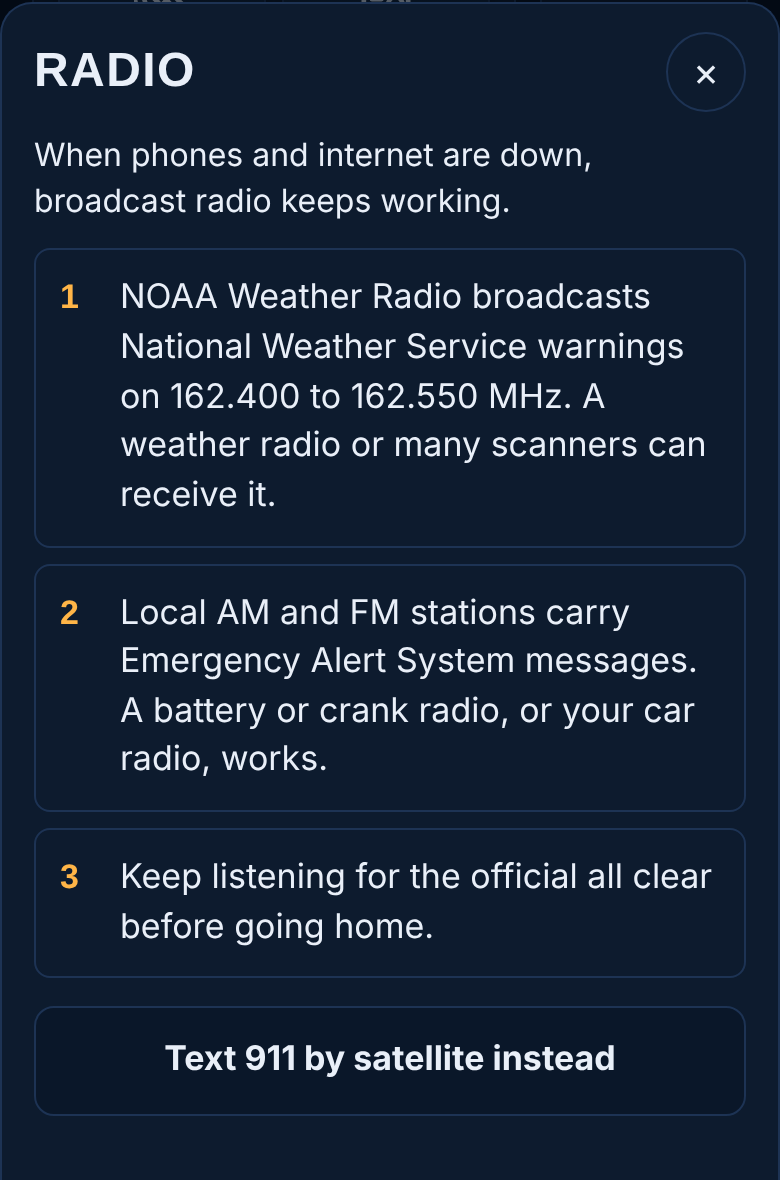
Text 911 by satellite instead opens the Emergency SOS steps.