The Large-Button Page
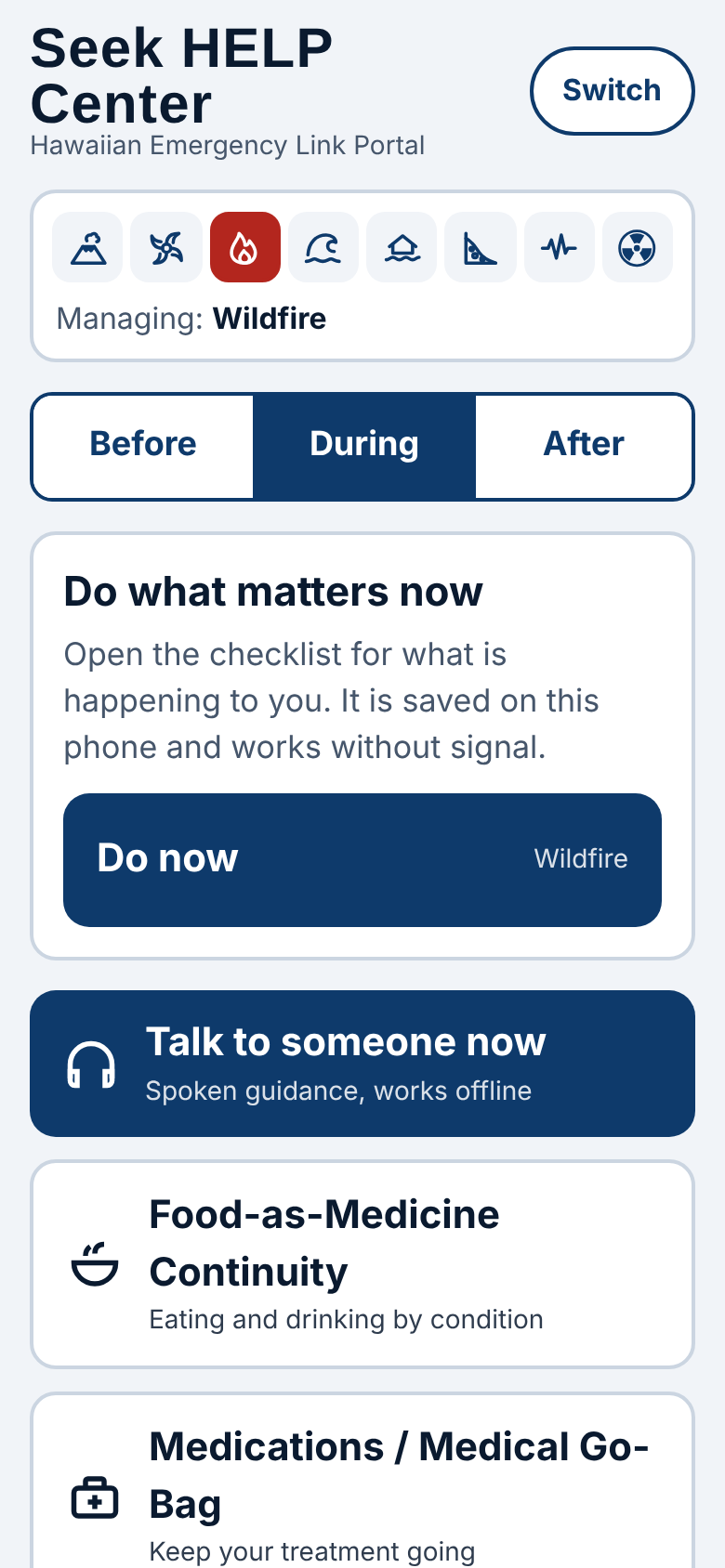
Hazard selector
Before / During / After tabs

Switch
Changes to the Command Center.
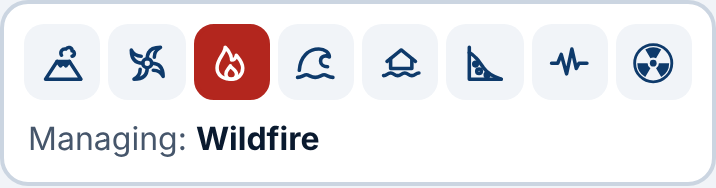
Hazard icons
Eight small icons across the top: volcano, hurricane, wildfire, tsunami, flood, mudslide, earthquake and nuclear. Tap the one that's happening. It turns red and the line underneath says "Managing:" and the hazard's name.
Before · During · After
Pick the stage you're in. The card below changes to the most useful step: Before: get ready; opens My information. During: Do now; opens the checklist for your hazard. After: stay safe and send your location so people know you're OK.
Talk to someone now
Spoken guidance that works offline, a Good-Neighbor volunteer, or 911.
Food-as-Medicine Continuity
Eating and drinking advice and local recipes for ten health conditions.
Medications / Medical Go-Bag
A checklist to keep your treatment going.
Send your location for rescue
A full rescue message with your disaster, town and coordinates.
Send my location
A quick text to your contacts with your coordinates.
Nearest help
Shelter, hospital, police, fire station or clinic.
Call 911
Opens your phone's dialer with 911.
No signal?
Satellite and radio options.
Wellness checks and privacy
Choose what to share with HELP.
My information
Your name, phone and contacts.